
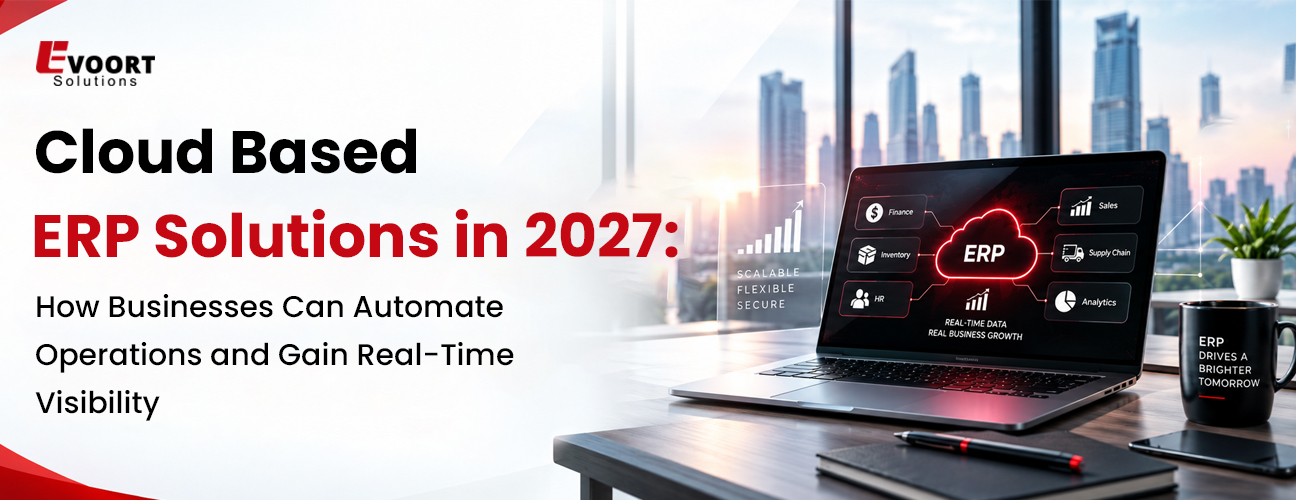
Cloud Based ERP Solutions in 2027: How Businesses Can Automate Operations and Gain Real-Time Visibility
Table of Contents
Businesses are managing more data, departments, suppliers, customers and daily transactions than ever before. When this information is spread across separate systems and spreadsheets, it becomes harder for teams to understand what is happening across the business and respond quickly.
Cloud based ERP solutions bring core business functions such as finance, procurement, inventory, sales, human resources, manufacturing and supply chain operations into a connected system. Because the software runs through the cloud, employees can access business information from different locations while authorized teams can work from the same set of data.
In 2027, cloud ERP is no longer just a passive system of record; it acts as an intelligent digital backbone. By unifying finance, procurement and supply chain into a clean operational foundation, modern platforms allow organizations to replace fragmented data barriers with real-time, automated execution. The right ERP system can also give growing companies the flexibility to add users, locations, processes and applications as their needs change.
What Are Cloud Based ERP Solutions?
Cloud based ERP solutions are Enterprise Resource Planning Software systems hosted on cloud infrastructure rather than being installed and maintained entirely on a company's own servers.
An ERP system connects different business functions through a central platform. Instead of maintaining separate applications for accounting, purchasing, inventory, sales and operations, employees can work with information stored within the same system.
Cloud deployment also allows authorized users to access the ERP system through an internet connection. Updates, infrastructure management, security controls and system maintenance are generally handled by the cloud ERP provider according to the service agreement.
For businesses with multiple offices, remote employees, warehouses or locations, this model can make it easier to maintain consistent access to business information.
Why Businesses Are Moving Toward Cloud ERP in 2027
Traditional ERP environments can require significant investment in servers, maintenance, upgrades and internal IT resources. They can also become difficult to adapt when a company expands or changes its operating model.
Cloud ERP offers a different approach.
Businesses can use a subscription-based system without maintaining the entire underlying infrastructure themselves. They can also introduce new users and capabilities as requirements change.
Some of the main reasons companies are considering cloud ERP include:
1. Lower infrastructure and maintenance requirements
2. Easier access to business information
3. Faster deployment compared with some traditional ERP implementations
4. Better integration between departments
5. Easier support for multiple locations
6. Automated business workflows
7. Regular software updates
8. Improved reporting and operational visibility
9. Greater flexibility as the business grows
How Cloud ERP Helps Automate Business Operations
One of the main advantages of cloud ERP is the ability to automate routine processes.
Without an integrated ERP system, employees may need to enter the same information into multiple applications, send manual approval requests or create reports by collecting data from different sources.
ERP software solutions can reduce this manual work by connecting processes across departments.
1. Automated Financial Processes
Finance teams can manage invoices, payments, expenses, purchase orders and financial records within the ERP system.
For example, an approved purchase order can be connected to the corresponding invoice and payment process. This reduces unnecessary data entry and makes it easier for finance teams to track transactions.
2. Automated Procurement Workflows
Automated procurement workflows eliminate approval delays by routing purchase orders, spend-limit validations and supplier invoices through pre-configured rule reducing cycle times and protecting working capital.
Teams can also track the status of purchasing activities from one system.
3. Inventory and Order Automation
Cloud ERP can connect sales orders, inventory records, purchasing and warehouse operations.
When an order is processed, relevant inventory information can be updated within the system. This gives teams a better understanding of available stock and helps reduce errors caused by outdated information.
4. Automated Reporting
Managers often spend considerable time collecting information before they can review business performance.
An ERP system can bring information from different departments into common reports and dashboards. This allows users to spend less time preparing reports and more time reviewing the information.
Real-Time Visibility Across Business Operations
Having data stored in an ERP system is useful, but businesses also need to be able to access and understand that information.
Cloud ERP can provide a central view of operational information across departments.
For example, a management team may want to review:
1. Current sales performance
2. Accounts receivable
3. Inventory levels
4. Purchase orders
5. Production status
6. Supplier activity
7. Operating expenses
8. Order fulfillment
9. Cash flow information
When these areas are managed through disconnected systems, creating a complete view can take time.
With an integrated ERP platform, authorized users can access information from connected business functions through a common system. This can help managers identify issues earlier and make decisions based on current business information.
Key Features to Look for in Cloud Based ERP Solutions
Not every cloud ERP system offers the same capabilities. Businesses should evaluate the features they actually need instead of selecting a system based only on its feature list.
Important capabilities can include:
1. Financial Management
The ERP should support accounting, accounts payable, accounts receivable, budgeting, financial reporting and other relevant finance processes.
2. Supply Chain and Inventory Management
Companies that manage physical products should look for inventory tracking, purchasing, supplier management, warehouse processes and order management capabilities.
3. Business Process Automation
Workflow automation can help reduce repetitive administrative work and standardize approvals, notifications and routine processes.
4. Reporting and Dashboards
Managers need access to relevant business information without depending on separate spreadsheets for every report.
5. Integration Capabilities
An ERP system may need to connect with CRM platforms, e-commerce systems, payroll applications, warehouse systems, payment platforms or other business software.
Strong integration capabilities can help businesses avoid creating another isolated system.
6. Security and Access Controls
Cloud ERP should include appropriate user permissions, authentication, data protection, backup processes and other security measures suitable for the organization's requirements.
7. Scalability
The ERP should be able to support business growth, including additional users, departments, locations, products and transactions where required.
Best Cloud-Based ERP Solutions: What Should Businesses Consider?
When comparing the best cloud-based ERP solutions, businesses should look at their current processes, industry requirements, budget, integration needs and future plans.
Key questions include:
-
Which departments need to use the ERP?
-
How many users and locations need access?
-
What systems need to be integrated?
-
Which processes should be automated?
-
What reports does management need?
-
Does the ERP support the company's industry requirements?
-
How easily can the system scale?
-
What implementation and support services are available?
-
How does the provider handle security and data protection?
-
What will the total cost of ownership be?
A company should also consider implementation requirements. Even a capable ERP system can create problems if business processes, data, user roles and training are not properly planned.
Cloud ERP vs Traditional ERP
|
Feature |
Cloud ERP Solutions |
Traditional / On-Premise ERP |
|
Infrastructure |
Fully provider-managed cloud architecture |
Company-managed physical or hosted servers |
|
Accessibility |
Secure, browser-based access from any location |
Restricted primarily to local networks or VPNs |
|
Upgrades & Updates |
Continuous, automatic features and patches |
Manual, resource-heavy, periodic upgrade projects |
|
Scalability |
On-demand expansion of users, entities and storage |
Requires capital investments in server capacity |
|
Innovation Access |
Built-in AI models, automated flows and agents |
Delayed access to modern capabilities |
When Should a Business Consider Cloud ERP?
A company may need to consider a new ERP system when its existing processes are becoming difficult to manage.
Common signs include:
1. Teams rely heavily on spreadsheets for core business processes.
2. Different departments use disconnected applications.
3. Employees repeatedly enter the same information.
4. Management has difficulty getting current business reports.
5. Inventory information is inconsistent between systems.
6. Approval processes depend heavily on email.
7. The existing ERP cannot support business expansion.
8. Reporting takes too much manual effort.
9. Multiple locations need access to shared business information.
These problems do not always mean that a company immediately needs a complete ERP replacement. In some cases, improving integrations or replacing specific systems may be enough. A proper assessment can help determine the most practical approach.
The Role of Custom ERP Solutions
Standard ERP platforms cover many common business requirements, but some organizations have processes that require additional functionality.
Custom ERP solutions can be considered when a business needs workflows, modules, integrations or applications that are not adequately supported by an off-the-shelf platform.
Customization may include:
1. Industry-specific workflows
2. Custom approval processes
3. Specialized reporting
4. Integration with existing applications
5. Custom dashboards
6. Business-specific modules
7. Data migration and transformation
8. Additional user roles and permissions
However, customization should be approached carefully. Excessive changes can make an ERP system harder to maintain and upgrade. Businesses should first determine whether a standard ERP feature or configuration can meet the requirement before developing custom functionality.
How to Implement Cloud ERP Successfully
ERP implementation involves more than installing software. Businesses need to prepare their processes, data, employees and technology environment.
A practical implementation process can include:
1. Assess Current Processes
Document existing workflows and identify areas where employees face delays, duplication or manual work.
2. Define Business Requirements
Determine which departments, processes, integrations, reports and users need to be supported.
3. Select the ERP Platform
Compare available ERP software solutions based on functionality, scalability, integration, security, cost and implementation requirements.
4. Prepare and Migrate Data
Review existing data, remove unnecessary records, resolve inconsistencies and plan how information will be transferred into the new system.
5. Configure and Integrate the System
Configure workflows and connect the ERP with other business applications where required.
6. Test Business Processes
Test important workflows before the system goes live. Finance, procurement, inventory, sales and other departments should verify that their processes work as expected.
7. Train Employees
Employees need practical training based on the tasks they perform within the ERP system.
8. Monitor the System After Launch
After implementation, businesses should review system performance, user feedback, reporting requirements and process improvements.
What to Expect From Cloud ERP in 2027
Cloud ERP will continue to develop as businesses look for better ways to manage operations and information.
Several areas are likely to receive continued attention:
1. Greater use of automated workflows
2. More connected business applications
3. Better mobile access
4. Improved business reporting
5. Greater use of real-time operational data
6. More flexible integration options
7. Stronger security controls
8. Industry-specific ERP capabilities
9. Greater use of configurable and modular ERP platforms
The main focus should remain practical: helping employees manage business processes with fewer manual steps and giving management access to information when it is needed.
Why Choose Evoort Solutions for ERP Services?
Choosing an ERP system is only one part of an ERP project. Businesses also need to consider implementation, integration, data migration, customization, user adoption and ongoing support.
Deploying an enterprise-grade ERP requires more than basic software setup it demands process harmonization, data governance and strategic architecture. At Evoort Solutions, we help enterprise leaders modernize legacy infrastructure, implement clean-core cloud ERPs and build scalable automation customised to your operational goals.
Whether a company is moving from an existing system to the cloud, modernizing its ERP environment or evaluating custom requirements, the first step is understanding how the business currently operates and where the ERP system needs to provide value.
Conclusion
Cloud based ERP solutions can give businesses a practical way to connect departments, automate routine processes and access business information from a central system. For organizations managing multiple locations, growing transaction volumes or disconnected applications, moving to a cloud ERP environment can also make everyday operations easier to manage.
The right Enterprise Resource Planning Software should fit the way a business operates rather than forcing every process into the same model. Businesses should evaluate functionality, integration, scalability, security, implementation requirements and long-term support before choosing a platform.
If you are planning to modernize your ERP environment or evaluating cloud and custom ERP options, Evoort Solutions can help you assess your requirements and plan an ERP approach suited to your business.
Frequently Asked Questions
1. What are cloud based ERP solutions?
Cloud based ERP solutions are Enterprise Resource Planning Software systems hosted on cloud infrastructure. They connect business functions such as finance, procurement, inventory, sales and operations within a common platform.
2. How do I choose the best cloud-based ERP solutions for my business?
Businesses should compare ERP platforms based on their processes, industry requirements, number of users, locations, integration needs, security requirements, scalability, implementation support and total cost.
3. Can cloud ERP be customized?
Yes. Depending on the platform, businesses can configure workflows, reports, integrations, dashboards and other capabilities. Custom ERP solutions may also be developed when standard functionality does not meet specific business requirements.
4. Is cloud ERP suitable for growing businesses?
Cloud ERP can be suitable for growing businesses because it can provide access to integrated business functions without requiring the company to manage all of the underlying infrastructure itself. The appropriate system depends on the company's size, processes, budget and future requirements.
5. How does ERP provide real-time visibility?
ERP connects information from different business functions within a common system. When transactions and operational information are updated, authorized users can access current information through reports, dashboards and other ERP features.